Manage your phone's information from your PC
The data on my mobile phone is in a right state and I can never be bothered to sort through everything in order to manage it more effectively.
Top Recommended Alternative

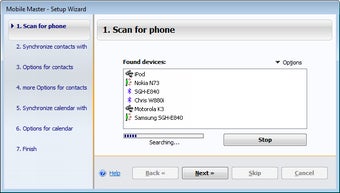
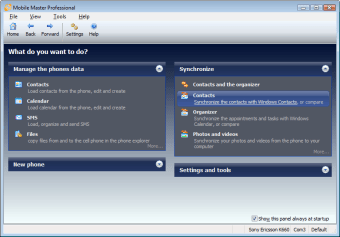
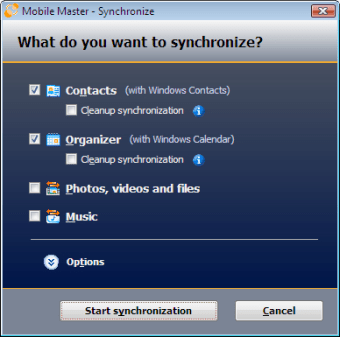
Using Mobile Master finally brought some order to my cellphone though, thanks to a bevy of handy tools for synchronizing my contacts, agenda, calendar and messages between my PC and my phone.
What I liked about the program is that it comes with a number of filters that help you to prevent information overload on your mobile and to concentrate solely on the data you really need to manage.
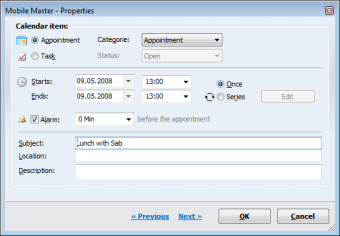
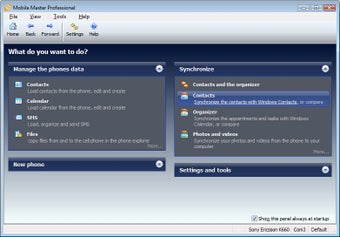
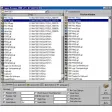
Its functional interface lets you see incoming and missed call lists, access and publish calendar data, as well as to manage your text messages, to write up notes and to navigate your phone's folders.
Changes
Now supported:Gigaset SL400, Nokia C3-00, Samsung C3300K New Features: Nokia S60 phones: now the pictures assigned to contacts can be read, modified, synchronized (with Outlook, Tobit David, Windows contacts) Sync with Thunderbird Lightning (1.0bx): done changes for writing calendar items to Lightning (ics calendar file) now the ics file can be created if it does not yet exist (only locally) done changes writing exceptions to an ics file for Lightning Calendar synchronization with Lotus Notes: optimized and improved speed Sync with Sunbird: done changes for Sunbird 1.0b Fixed bugs/solved problems: Sync with Thunderbird Lightning: fixed bug synchronising (ID matching did not work properly in the last version) now alarm after the start of a birthday is allowed Nokia S40: fixed problem with tasks Gigasets: fixed problems with maximal field length, e.g. last and firstname Sync with Novell Groupwise: fixed problem with the alarm